How to Convert Handwritten Notes to Editable Text Using AI Tools

Table of Contents
- Introduction
- Why This Workflow Matters in 2026
- Step 1: Prepare Your Handwritten Notes for Scanning
- Step 2: Capture a Clean Image
- Step 3: Choose the Right AI Tool
- Step 4: Convert, Clean, and Export
- Common Mistakes to Avoid
- Conclusion
- FAQ
Introduction
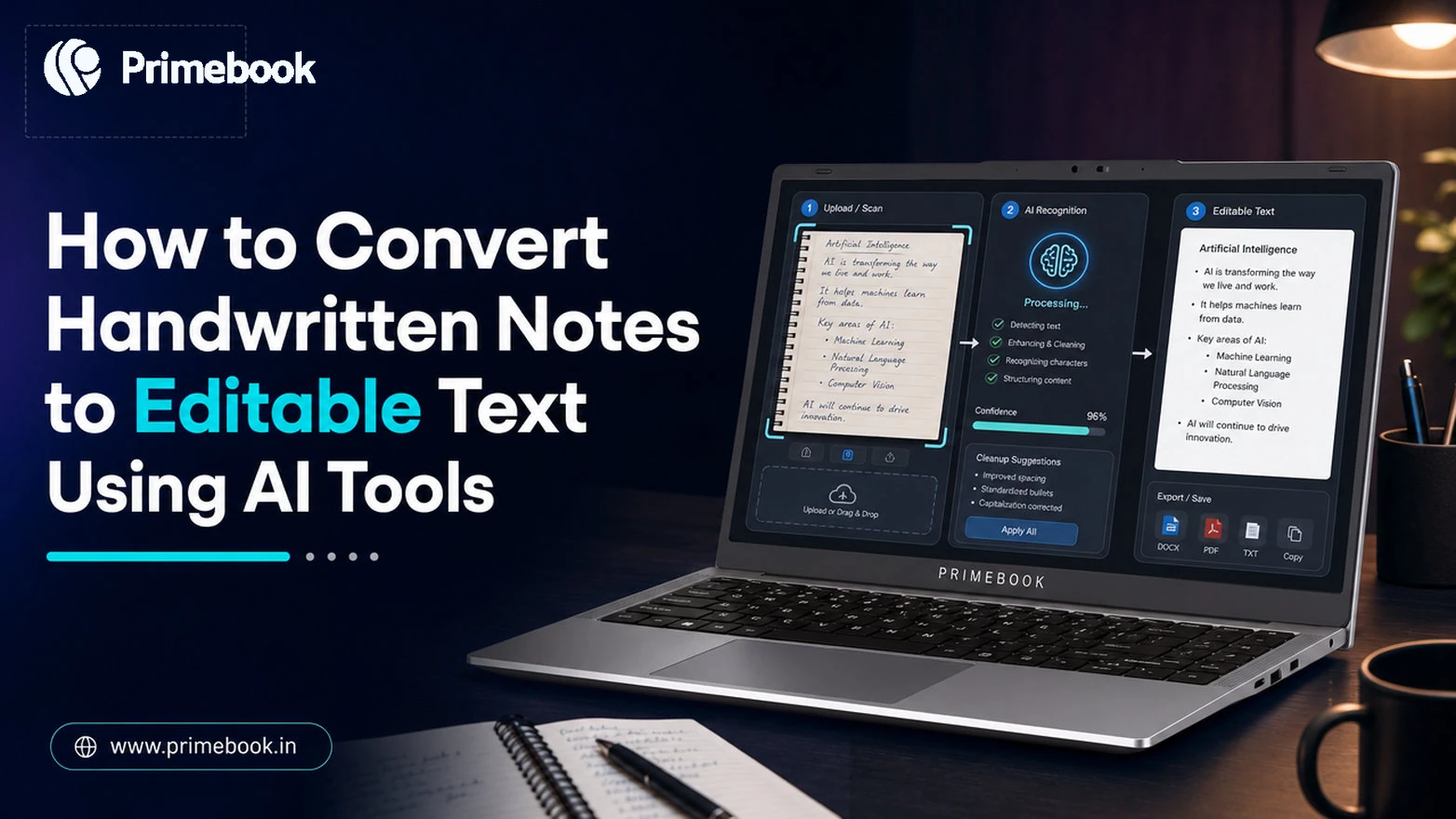
Most students and freelancers in India still take notes in physical notebooks, then lose hours retyping them before exams or client deliverables. That friction is the core problem any handwritten notes-to-text AI tools are designed to solve: instead of manually copying pages, you point a camera, run OCR (optical character recognition), and walk away with editable text in under a minute.
This guide walks through the exact workflow: prep, capture, tool selection, conversion, and export.
Why This Workflow Matters in 2026
Research published in IEEE Access (2022) shows deep-learning OCR now hits over 95% character accuracy on well-scanned Indic scripts. A 2022 paper in Pattern Recognition Letters found transformer-based models cut word error rates by 20-30% versus older OCR engines.
Nielsen India's 2022 education study reported that 88% of urban student users already photograph notes for later reference. The missing layer is turning those images into searchable, reusable notes, which is what this workflow delivers.
Step 1: Prepare Your Handwritten Notes for Scanning
OCR accuracy starts before the camera opens. Five minutes of prep beats fixing errors later.
- Lay pages flat on a single-colour surface. Wood, marble, and patterned beds confuse edge-detection.
- Use blue or black ink on white or pale paper. Pencil and gel pens with light pressure cause recognition gaps.
- Separate diagrams from text blocks. Mixed layouts force the AI to guess, dropping accuracy.
- Number multi-page batches in the corner so the output preserves sequence.
Step 2: Capture a Clean Image
Lighting and angle matter more than camera megapixels. Most modern smartphones already have cameras capable of capturing images suitable for OCR.
- Shoot in daylight or under a single overhead lamp. Avoid mixed light sources that throw shadows across the page.
- Hold the camera parallel to the page. Tilt creates keystone distortion and breaks line detection.
- Fill the frame with the page edges. Cropping noise later loses resolution.
- Use your phone's document scan mode if available - it auto-corrects perspective and boosts contrast.
Step 3: Choose the Right AI Tool
OCR and AI-powered note-conversion tools vary by script support, output format, and offline capability. Pick by use case rather than popularity.
| Use Case | Recommended Tool Type | Output Format |
|---|---|---|
| English class notes | Google Lens, Microsoft OneNote | Plain text, copy-paste |
| Hindi or Devanagari notes | Specialised Indic OCR apps | Unicode text, Word |
| Long-form research | Microsoft OneNote, Adobe Scan | Searchable notes, PDF, Word |
| Diagrams plus text | Adobe Scan, multimodal AI | PDF with text layer |
| Bulk batch conversion | Desktop OCR with API access | Bulk DOCX or TXT |
Step 4: Convert, Clean, and Export
The raw OCR output is rarely final. A quick clean-up loop saves rework downstream.
- Run a spell-check pass first. Most recognition errors cluster around ambiguous letters (rn vs m, cl vs d).
- Re-flow paragraphs. OCR often inserts line breaks at the page's physical edge, not at the sentence end.
- Preserve formulas as images if the tool struggles - retyping LaTeX is faster than fixing garbled symbols.
- Export to a cloud doc so the text becomes searchable across devices.
For a related scanning workflow used during exams, see scanning with Adobe Scan.
Common Mistakes to Avoid
- Scanning entire notebooks in one go without checking the first page's accuracy. Test, then batch.
- Relying on auto-translate when notes mix English and a regional script. Convert first, translate second.
- Skipping the proofread because the output "looks fine". Maths and proper nouns are the usual silent failures.
- Storing converted text only on the device. A lost phone means lost revision material.
Conclusion
AI-powered OCR is gradually removing the trade-off between writing by hand and working digitally. Users no longer have to choose between the flexibility of handwritten notes and the convenience of searchable digital documents. As recognition technology improves, handwriting is becoming less of a final format and more of a starting point in the digital workflow.
FAQ
Can AI accurately read messy handwriting?
Modern transformer-based OCR handles moderately messy handwriting well, but very rushed or stylised cursive still drops accuracy below 80%. Cleaner capture and better lighting help more than switching tools.
Does this work offline?
Some apps offer on-device OCR for English, but many advanced Indic-script tools still rely on cloud processing. For sensitive notes, use an app that explicitly supports offline mode.
Which format should I export to?
Export to a cloud-synced document (Google Docs, Word Online) so the text is searchable, editable, and backed up. Plain text loses formatting; PDFs lock editing.
Can I convert handwritten notes in Hindi or regional languages?
Yes. Modern OCR tools can accurately recognise Hindi and several regional scripts when the handwriting is clear and the tool supports the target language. Use a tool that explicitly lists the target script, not a generic English OCR.
Editorial Transparency: Primebook's editorial team uses a combination of human expertise, research, and AI-powered tools to create and refine content. Every article is reviewed and validated by our team before publication to ensure accuracy, clarity, and usefulness for readers.