Blogs / Educational Bytes / Why is an Android laptop better than Windows for College Students?
Blogs / Educational Bytes / Why is an Android laptop better than Windows for College Students?

Primebook Team
20 Mar 2026
Why is an Android laptop better than Windows for College Students?
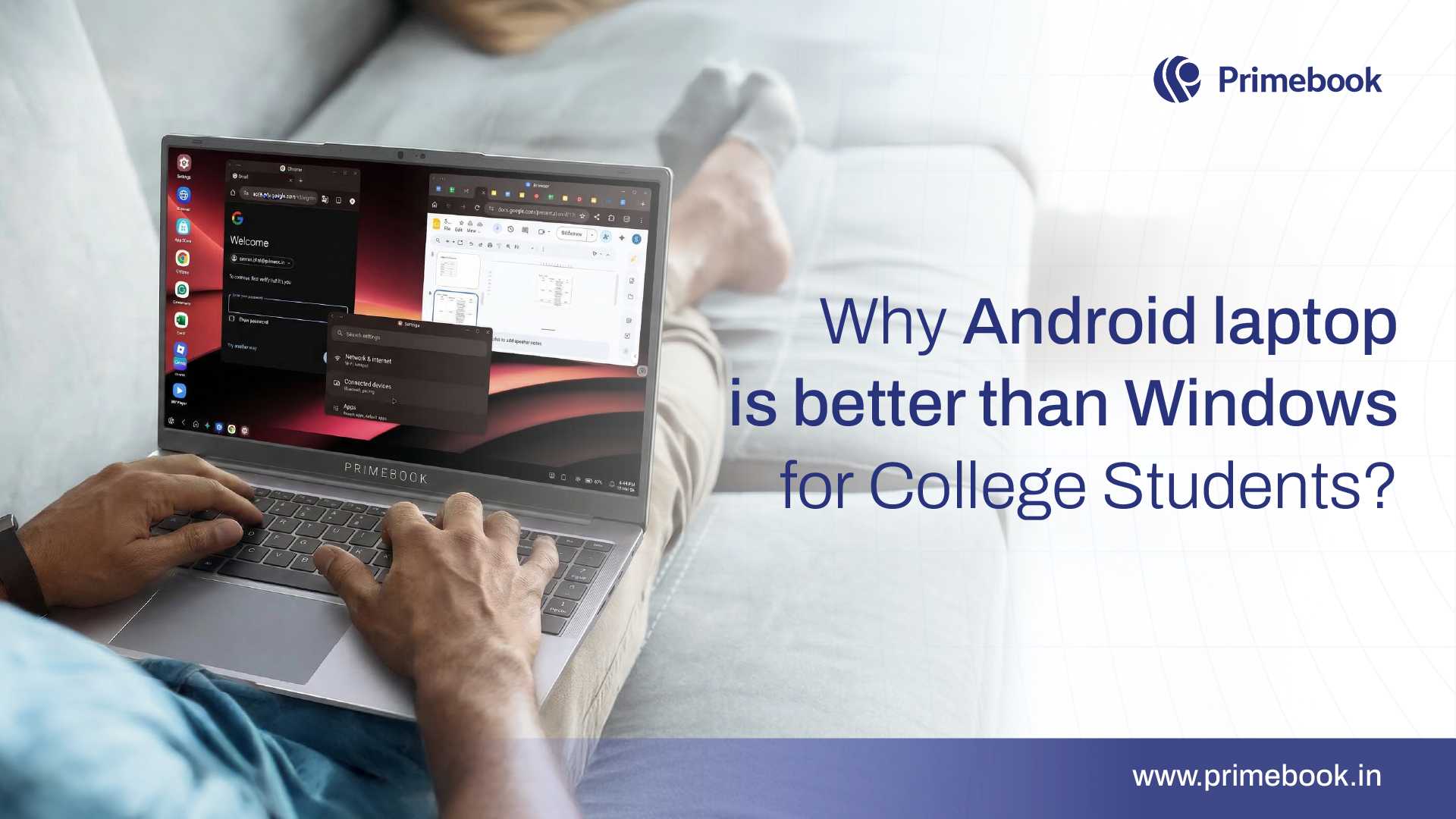
College students rely heavily on laptops for their academic work. Research shows that about 76% of higher education students name a laptop as their primary academic device for coursework, research, and collaboration. This makes the laptop central to how college students attend classes, write assignments, and access study material. When a device becomes this essential, usability matters as much as performance.
Many college students, especially first-time laptop buyers, are not trained to handle complex system settings or technical troubleshooting. They need a device that works simply and supports everyday academic tasks without friction.
That difference in design philosophy is where Android laptops begin to stand apart from traditional Windows-based desktop-oriented systems. This blog uncovers how Android laptops are actually better than Windows for college students.
The Learning Curve: Why Simplicity Matters for College Students
Once a laptop becomes a student’s primary academic tool, the way the operating system is structured directly affects daily productivity. The difference is not about capability. It is about how much system management is required before actual work begins.
Windows Laptops
-
Built for broad desktop and enterprise workflows
-
Allow deep customisation, but require more navigation through layered settings
-
Depend on driver installations and manual software setups in many cases
-
Run heavier background services that can impact performance over time
-
Expect users to understand file systems, installations, and system behavior
Android Laptops
-
Structured around an app-first workflow
-
Faster and simpler application installation
-
Fewer layers of configuration before use
-
Lighter background processes
-
Designed for direct task execution rather than system control
Why this difference matters
-
A simpler system reduces cognitive load, allowing students to focus on coursework rather than device management.
-
Fewer configuration layers lower the chances of accidental system changes that disrupt assignments.
-
Minimal setup requirements reduce dependence on external technical support.
-
Consistent app-based workflows create familiarity across devices students already use, such as smartphones.
Also Read: How Android Laptops Are Transforming Education
Value for Money: Performance That Fits a Student Budget
Most college students purchase cost-effective or mid-range laptops. These devices are designed to remain cost-effective, which means hardware capacity is practical rather than premium. In this segment, the optimisation of the operating system plays a major role in determining how smoothly the laptop performs during everyday academic use.
Windows Laptops
-
Use a significant portion of memory even before additional apps are opened
-
Leave less free memory available when multiple applications run together
-
On cost-effective laptops, performance can slow down faster during multitasking
-
Performance often improves clearly when RAM is increased
Android Laptops
-
Use less system memory at the base level and leave more room for active apps
-
Resume quickly from sleep without heavy system reloads
-
Handle academic multitasking more consistently within cost-effective hardware limits
-
Do not depend heavily on higher RAM to maintain steady everyday performance
Why this difference matters
-
Students buying cost-effective laptops expect stable performance for everyday academic tasks without needing premium configurations.
-
When performance depends heavily on stronger hardware, the gap between expectation and experience widens.
-
A system that performs consistently within cost-effective specifications protects the value of the original purchase.
-
Performance differences become more noticeable during software updates, where systems that rely on higher hardware capacity can take longer to install and stabilize on cost-effective laptops.
Also Read: Budget Laptop for College Students
System Stability: How the Device Holds Up Over Time
A college laptop is used daily for classes, assignments, research, streaming, and collaboration. Over months of continuous use, the way an operating system manages updates, app installations, and system changes directly affects stability.
Windows Laptops
-
Allow installation of a wide range of external programs
-
Over time, accumulated software can affect system behavior
-
Major system updates can occasionally alter settings or require adjustments
-
Performance can vary depending on installed software combinations
Android Laptops
-
Operate within a more controlled app environment
-
Apps are installed through a centralised store
-
System updates are streamlined and less intrusive
-
Day-to-day behavior tends to remain consistent despite app additions
Why this difference matters
-
Students should not need to reset or optimize their laptops mid-semester
-
A system that maintains predictable behavior reduces academic disruption
-
Stability across months of use improves long-term reliability
Also Read: Top Pre-College Summer Programs in India
EdTech Ecosystem Alignment: Built for How Modern Learning Happens
College education today is deeply connected to digital learning platforms. From assignment portals and recorded lectures to coding platforms, mock test apps, and skill-based courses, students increasingly depend on EdTech tools throughout their degree. In this environment, how well a laptop’s operating system aligns with these platforms becomes a critical factor in everyday academic efficiency.
Windows Laptops
-
Primarily designed for software-based workflows rather than app ecosystems
-
Many EdTech platforms are accessed through browsers instead of dedicated applications
-
Many platforms are optimised for mobile apps, so their desktop versions may lack certain features or feel less intuitive to navigate
-
Notifications, offline access, and real-time updates may not be as seamless in browser-based usage
Android Laptops
-
Built around an app ecosystem that closely matches how most EdTech platforms are designed
-
Direct access to dedicated apps for learning platforms, mock tests, and skill development
-
Consistent app experience across smartphone and laptop environments
-
Better integration of notifications, offline learning, and real-time updates
Why this difference matters
-
Students can access learning tools in the format they are originally designed for
-
App-based learning improves engagement and reduces dependency on browser-based workflows
-
Consistency across devices creates a seamless transition between mobile and laptop study sessions
-
Faster and more intuitive access to resources reduces friction during time-sensitive academic tasks
Also Read: Top 5 Tips for College Students
To sum up, for college students, the better laptop is not the one with more features. It is the one that removes friction. Android laptops start faster, stay consistent on practical budgets, and match how students actually learn through apps and platforms. The real advantage is not simplicity alone, but alignment. When a device fits the workflow, productivity follows naturally.
 Related Blog