ChromeOS Vs. PrimeOS: What's the Difference

Laptops today are no longer defined only by hardware. The operating system determines how apps behave, how files are managed, how multitasking feels, and ultimately how productive a device becomes.
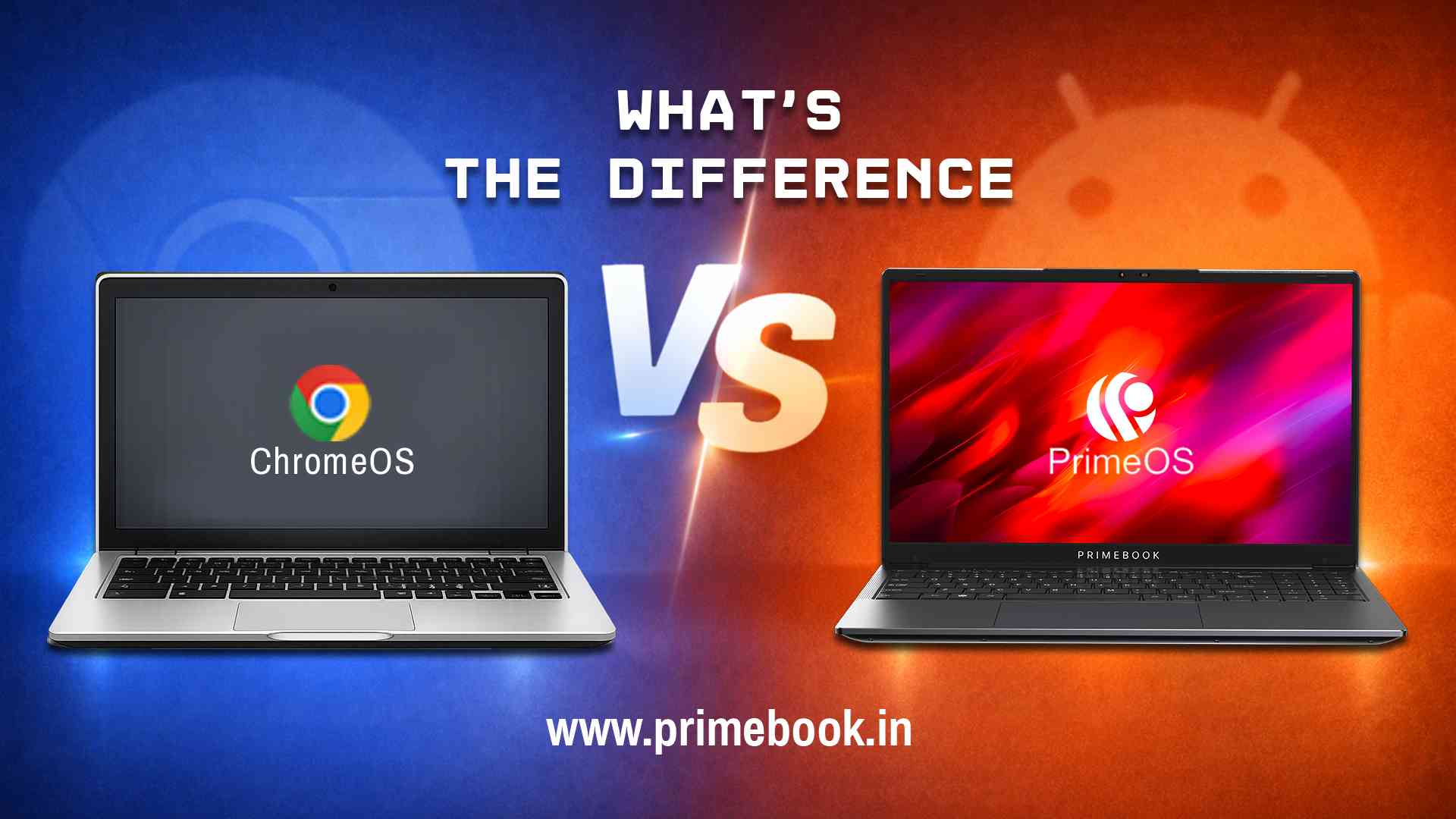
While ChromeOS powers Chromebooks with a browser-first philosophy, PrimeOS powers Primebook laptops with an Android-first, laptop-optimised approach. Both are lightweight alternatives to traditional desktop systems, but they take fundamentally different paths to get there.
This blog looks beyond the Primebook and Chromebook hardware, comparing how ChromeOS and PrimeOS shape everyday modern laptop usage for young India.
Web-First vs App-First Computing
At their core, ChromeOS and PrimeOS are designed around different computing models.
ChromeOS evolved from the Chrome browser. Web apps and cloud workflows remain central to its design. Android apps and Linux support exist, but the browser continues to anchor the experience.
PrimeOS, on the other hand, is based on Android 15 and redesigned for laptop use. Native Android apps are treated as desktop-class applications. Multi-window support, keyboard shortcuts, and a persistent taskbar reshape Android into a multi-window multitasking interface.
The distinction is also philosophical:
-
ChromeOS simplifies computing around the browser.
-
PrimeOS expands computing around apps.
For young users in India, who are more accustomed to app-driven ecosystems, streaming apps, editing apps, learning apps, and finance apps, this shift matters.
The Role of the Browser: Foundation vs Function
The browser plays a central role in both ChromeOS and PrimeOS operating systems, but its position within the system is different.
On ChromeOS, the Chrome browser is not just an application. It is the foundation of the operating system. Web apps, extensions, and cloud services are deeply embedded in the system’s workflow. Even Android and Linux apps operate alongside a browser-led environment.
On PrimeOS, the Prime Browser functions as a dedicated browsing tool within a broader Android-based ecosystem. It supports desktop-mode rendering by default, stable multi-tab handling, and familiar keyboard shortcuts. However, it does not define the operating system itself, and apps remain independent of the browser layer.
This structural difference can impact daily usage. In ChromeOS, productivity often begins in a tab. In PrimeOS, productivity can begin in an app or the browser, depending on the task. For users who rely equally on web platforms and mobile-native applications, that balance changes how natural the system feels over time.
Also Read: 14-Inch Chromebook Vs. 14-Inch Primebook
ChromeOS vs PrimeOS: How Each System Handles Files
File management reflects the design priorities of an operating system.
In ChromeOS, file handling is closely integrated with Google Drive and web-based services. Local storage is supported, but the system encourages synchronisation across devices through cloud connectivity. Documents are frequently created, edited, and stored within browser-based environments, with Drive functioning as a central access layer.
PrimeOS approaches file management through PrimeFiles, a dedicated desktop-class file manager built for laptop workflows. It supports traditional folder hierarchies, clear separation of downloads and system files, and direct access to internal storage alongside external devices such as USB drives and microSD cards. The structure prioritises visible local organisation while still allowing integration with online tools when required.
PrimeOS also extends this flexibility through its Cloud PC option. When users access a virtual Windows or Linux environment, they can work within expanded storage layers and software-specific directories beyond the physical limitations of the device, adding another level of scalability to file handling.
For students and young users managing offline assignments, shared storage devices, and occasional heavy software projects, this layered approach determines how seamlessly the system adapts to different usage conditions.
ChromeOS Vs. PrimeOS: Software Expansion Models
As modern users take on more complex digital tasks, the way an operating system expands its software capabilities becomes increasingly important.
In ChromeOS, expansion primarily happens within a web-centric framework. Users are encouraged to rely on browser-based applications, Progressive Web Apps (PWAs), and cloud-hosted platforms for productivity, design, and collaboration.
For more advanced workflows, ChromeOS even supports Linux containers, allowing additional desktop software to run within a managed environment. This structure extends functionality while remaining anchored to the browser-led ecosystem.
PrimeOS follows a layered expansion approach. At its core, it runs Android applications optimised for laptop use. When additional capability is required, users can access Prime X (Cloud PC), a built-in feature that enables access to Windows or Linux virtual desktop environments through a subscription model. Instead of adapting workflows to web-based alternatives, users can transition into a full desktop environment when necessary.
That's how PrimeOS makes it easier for young users to explore advanced web development, UX/UI design tools, desktop-class software, or even PC gaming environments without switching devices.
Also Read: 15-Inch Chromebook Vs. 15-Inch Primebook
AI Capabilities in ChromeOS and PrimeOS
Artificial intelligence is becoming increasingly visible within modern operating systems, but its implementation varies across platforms.
In ChromeOS, AI features are closely tied to Google’s ecosystem. Smart suggestions, contextual prompts, and Gemini-powered tools operate primarily within browser-based environments and Google services. Many of these capabilities enhance web workflows, document editing, and search within the broader Google framework.
PrimeOS uses the same Gemini AI, but integrates it directly into the Primebook laptop interface. A dedicated keyboard key enables users to instantly open the AI on screen. From there, users can interact with the assistant in real time, either by typing prompts or using voice input. The on-screen interface enables contextual assistance while working across apps, browsing, or managing files.
There’s another AI included in PrimeOS, called the AI-powered global search. This feature enables users to search across apps, files, settings, and web results from a single unified search bar. Instead of navigating separately through folders, system menus, or browser tabs, users can retrieve information through one AI-enhanced query.
OS-Native Learning Tools in ChromeOS and PrimeOS
Operating systems differ not only in how they manage apps, but also in the specialised tools they choose to include.
ChromeOS provides essential system utilities such as file management, media viewing, and settings. For coding and advanced learning workflows, users typically rely on web platforms or enable Linux environments.
PrimeOS includes PrimeCoding, a built-in coding environment designed as part of the operating system experience. It allows users to practise programming fundamentals without requiring additional setup. This introduces coding directly within the system rather than through external platforms.
Also Read: Tablet & Keyboard Vs. Primebook 2 Neo
To conclude, ChromeOS functions as a platform distributed across multiple Chromebook manufacturers, creating a largely standardised software experience across different hardware brands. PrimeOS, by contrast, is exclusive to Primebook devices, meaning the software and hardware are designed to operate as a single, purpose-built system.