Best Laptop Under 35000 In India for Students and Young Professionals

Introduction
A student or young professional scrolling through laptop listings around ₹35,000 will find plenty of specifications promising performance, productivity and versatility. But a spec sheet rarely explains which laptop makes the most sense for everyday assignments, presentations, research, online work or more demanding tasks.
The difference lies in how the hardware, software and overall configuration come together. RAM and storage matter, but so do battery life, display quality, application compatibility and the tools included with the operating system. The best choice depends on what you need the laptop to do, not simply how many features appear on the listing.
This guide breaks down what to look for in a laptop under ₹35,000, how to evaluate its value for money, where to find relevant deals, and how discounts can bring higher-priced options within budget. It also explores the best five Primebook laptop models across different configurations to help you identify the right fit for your needs.
What to Look for in a Laptop Under ₹35,000
A laptop under ₹35,000 should be evaluated as a complete setup, not by its processor or RAM alone. The processor, memory, storage and operating system work together to determine everyday performance, while the display, battery and keyboard shape how well the laptop fits your routine. Here is what to prioritise when comparing options in this budget.
1. Performance: Processor, RAM and Operating System
Performance depends on how the processor, RAM and operating system work together. A capable processor cannot compensate for insufficient memory, and a configuration with adequate RAM may still fall short if the software you need is not supported.
Processor: Within ₹35,000, prioritise a modern, power-efficient ARM-based processor over a budget Intel Celeron configuration, particularly for everyday multitasking and battery efficiency. Where available, an integrated NPU is an added advantage for AI workloads that support on-device acceleration. Evaluate the processor and operating system together rather than relying on benchmark scores alone, as their compatibility and optimisation determine how effectively the hardware performs in everyday use.
RAM: Treat 6GB as a practical starting point and 8GB or more as the preferred target for everyday multitasking. RAM type matters too: LPDDR4X is a reasonable baseline to look for in this budget, while LPDDR5 offers a newer memory generation. Capacity and the overall processor-platform combination matter more than the memory generation alone.
Operating system (OS): Choose an operating system based on your everyday workflow and the applications you need. Android-based laptop OSs are usually suited for both app-based and browser-based workflows for everyday multitasking and productivity. Windows is better suited to workflows that depend on specific desktop software, specialised professional tools or compatibility with established workplace applications. If you only need Windows or Linux for occasional tasks, a Cloud PC can provide access to these environments without requiring a full desktop setup locally. However, factor in subscription costs and the need for a reliable internet connection. For coding and development, look for either a dedicated Linux OS or an OS that natively supports popular Linux applications and a Linux terminal, such as PrimeOS, so you can access development tools alongside your regular workflow. Check application compatibility and the level of Linux support before buying.
2. Storage: Capacity and Type
Storage affects how many applications, documents, presentations, downloads and project files you can keep on your laptop, as well as how quickly applications and files load.
Capacity: Aim for at least 128GB of internal storage for a more practical balance between applications and personal files. A 64GB configuration is okay for basic tasks such as browsing, online classes and document work, particularly if most files are stored in the cloud or on external storage.
Storage type: Prefer UFS storage over eMMC where the choice is available. UFS generally offers faster data access and better responsiveness than eMMC, although performance also depends on the specific implementation.
Expandability: Check for a microSD slot or other supported storage expansion if you expect to accumulate more documents, media and project files. Remember that expandable storage may not replace internal storage for installing applications.
3. Display: Resolution, Size and Panel
The display affects how comfortably you can read, write and work across multiple windows.
Resolution: Prioritise Full HD (1920 × 1080) where possible for sharper text and more usable workspace than an HD display.
Panel: An IPS display is worth considering for viewing angles and more consistent image quality. An anti-glare finish can help reduce reflections under bright lighting.
Size: A 14-inch display offers a balance between screen space and portability, while a 15.6-inch display provides more room for documents, research and multitasking. A 12-inch display is more compact than both, making it worth considering if portability is a priority and you are comfortable working on a smaller screen. Choose according to how much workspace you need and how often you carry your laptop.
4. Battery Life and Charging
If you regularly work away from a power outlet, battery life should be a deciding factor rather than an afterthought.
Battery life: Look for a manufacturer's claimed battery life of atleast 10 hours or more for extended use away from a charger. In this segment, claims of up to 14 hours stand out, making them worth prioritising if you need longer unplugged sessions. Actual runtime will vary depending on screen brightness, applications, connectivity and workload, so compare battery claims alongside battery capacity and charging specifications rather than treating them as guaranteed usage times.
Battery capacity: Compare battery capacity alongside claimed runtime, but don't judge endurance by capacity alone. The processor, display, workload and operating system's power management and software optimisation all influence how efficiently a laptop uses its battery.
Charging: Check the charging speed and charger specifications if you frequently travel or need to top up between sessions.
5. Keyboard, Webcam and Audio
These features can make a meaningful difference to everyday productivity, particularly for online meetings, assignments and extended typing.
Keyboard: Look for comfortable key spacing and sufficient key travel. A backlit keyboard is useful when working in low-light conditions.
Webcam and audio: A Full HD webcam is a useful target for frequent video calls, alongside clear speakers and a microphone that captures your voice well. Noise cancellation can be an added benefit.
6. Connectivity and Ports
Connectivity determines how easily your laptop works with external accessories, displays, storage devices and wireless peripherals.
Ports: Look for at least one USB Type-C port and USB Type-A connectivity for connecting compatible accessories such as storage devices, mice and keyboards. If you plan to connect an external monitor, check whether the Type-C port supports video output or whether another supported display connection is available.
Wireless connectivity: Look for at least Wi-Fi 5 for everyday browsing, video calls and online work, with Wi-Fi 6 preferable for better performance on compatible networks, especially in busy environments. Bluetooth 5.0 or newer is a useful baseline for connecting wireless headphones, mice and keyboards. If you frequently work with large files or rely on cloud applications, prioritise reliable connectivity and check that the laptop supports the Wi-Fi standards available on your network.
Storage expansion: A microSD slot can be useful if you expect to store additional documents, media and project files.
Verify the exact port specifications and supported functions for the model, since a Type-C connector does not automatically support charging, video output and data transfer at every available speed.
Ultimately, the aim is to find a balanced configuration rather than maximise one specification. For many students and young professionals, 8GB RAM, at least 128GB of UFS storage, a Full HD display and an operating system compatible with their required applications make a useful starting point for comparing laptops in this price range.
How to Get the Best Value for Every Rupee
Getting the best value from a ₹35,000 laptop budget means looking beyond the price tag to what the device delivers in everyday use and what it costs to maintain that experience over time. A higher specification or a lower sale price does not automatically translate into better value.
Compare real-world performance, not just specifications: Two laptops with similar specifications can deliver different experiences depending on processor efficiency, software optimisation and thermal management. A Techarc analysis of Indian laptop reviews highlights the importance of practical factors such as battery endurance and thermal performance alongside raw specifications. Compare independent reviews and real-world tests to understand how a laptop performs under everyday workloads rather than relying on specification sheets alone.
Account for what is included in the price: Check whether essential productivity software, useful built-in features and the accessories you need are included or require separate purchases. A laptop that meets your requirements out of the box can offer better overall value than one with a lower upfront price but additional costs for essential tools and services.
Consider the cost of ownership: Look beyond the purchase price and factor in recurring expenses such as Microsoft 365 or other office-suite licences, paid AI tools, Cloud PC subscriptions, accessories and potential repair costs. Check whether productivity software is included, whether it requires a paid licence, and whether the features you need are available in the free version. Similarly, compare AI tools based on their usage limits and subscription costs rather than assuming premium features are included with the laptop. Also consider warranty coverage, service availability and upgrade options. A laptop with a slightly higher upfront price may offer better overall value if it reduces the additional costs of getting your work done.
Buy for your likely needs over the next few years: Consider whether the laptop's hardware will continue to support your workload as your applications, projects and multitasking needs evolve. Equally important is the operating system's update policy, including how long it will receive security patches, bug fixes and compatibility updates. A laptop that no longer receives security updates may expose you to avoidable risks, even if its hardware remains capable. Check the manufacturer's software support commitments before buying, so you can assess the device's long-term usability and security alongside its specifications.
The best-value laptop is one that delivers a dependable, useful computing experience for the price you pay, without unnecessary spending upfront or avoidable costs later.
Where to Find Laptops Under ₹35,000
You can find laptops within this budget across online marketplaces, brand websites and offline electronics retailers.
Online marketplaces: Platforms such as Amazon India and Flipkart let you compare specifications, customer reviews and prices across multiple models. Check the exact configuration, seller details, warranty terms and return policy before placing an order.
Official brand websites: Buying directly from a manufacturer's website can help you verify specifications, explore available configurations and review warranty and service information. Compare the listed price with marketplace offers before purchasing.
Offline electronics retailers: Visiting a retail store allows you to assess the display, keyboard, trackpad and overall build quality in person. You can also ask about available configurations, financing options and local service support.
Regardless of where you buy, compare the final payable price rather than the headline listing price.
How to Get a Laptop Above ₹35,000 Within Your Budget
If a laptop you are considering is slightly above ₹35,000, discounts and payment offers may bring its effective price within your budget.
Look for seasonal sales: Events such as GIF, BBD, Diwali Sale, Christmas Sale, New Year Sale, and sales around other festive events in India can bring price reductions across laptop models. Compare the sale price with the usual selling price to assess the actual saving.
Check bank offers: Instant discounts and eligible card offers can reduce the amount you pay at checkout. Verify the participating banks, eligible cards, minimum transaction value and maximum discount before relying on an offer.
Explore exchange deals: Exchanging an eligible old laptop may reduce the purchase price. The final exchange value depends on the device's model, condition and the platform's assessment, so compare the offer with what you could receive by selling it separately.
Apply eligible coupons: Check for product-specific coupons, promotional codes and retailer offers that can be combined with other discounts. Read the terms carefully, as some offers cannot be combined.
Calculate the final price after applicable discounts, exchange benefits and other charges. If an offer requires a particular payment method or an exchange you do not need, assess whether the saving is genuinely worthwhile before purchasing.
Top 5 Laptop Options Under Rs 35,000 in India (2026)
If you're looking for a laptop under ₹35,000, Primebook offers options across different screen sizes, processors, memory configurations and storage capacities. Here's what each model brings to the table and what sets it apart.
1. Primebook 2 Neo: When Portability Matters Most
Powered by the octa-core MediaTek Helio G99 processor, the Primebook 2 Neo combines an 11.6-inch HD IPS matte display with 6GB LPDDR4X RAM and 128GB UFS storage. It also supports microSD expansion up to 1TB and offers up to 10 hours of battery backup. Its compact display and lightweight form factor make it worth considering if portability is a priority and your everyday computing needs don't require a larger screen or more memory.
2. Primebook 2 Pro: When Battery Life Is a Priority
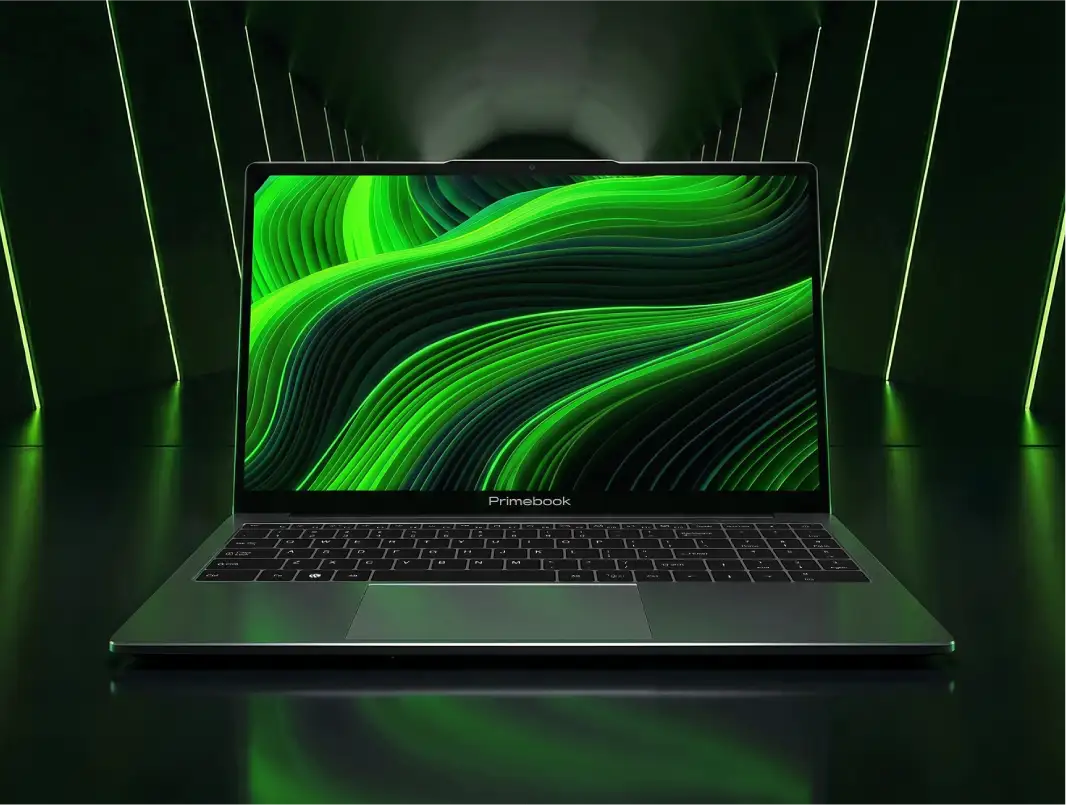
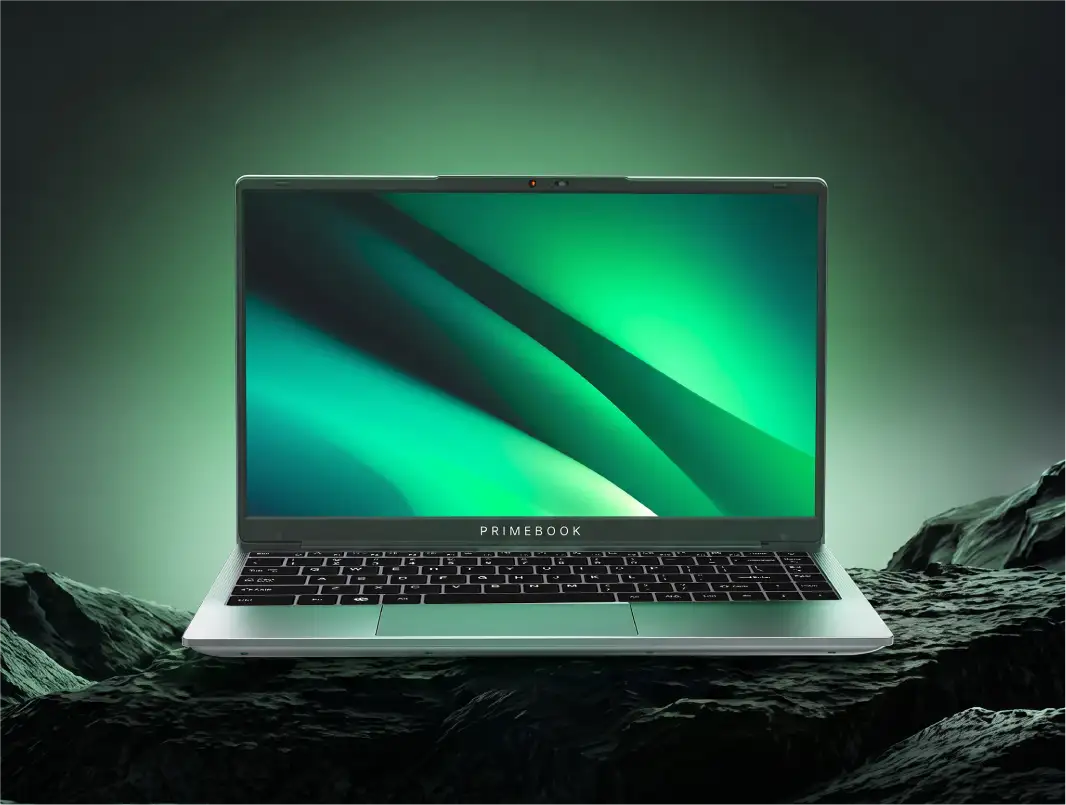
The Primebook 2 Pro features an octa-core MediaTek Helio G99 processor, 8GB LPDDR5 RAM and 128GB UFS storage. Its 14.1-inch Full HD IPS anti-glare display provides a balance between screen space and portability, while the 60.3Wh battery is rated for up to 14 hours of use. A backlit keyboard also makes it more convenient to work in low-light environments. Consider it if you want a compact productivity setup with an emphasis on battery endurance.
3. Primebook 2 Max (128GB): When Screen Size Comes First
Powered by the MediaTek Helio G99 octa-core processor, the Primebook 2 Max (128GB) pairs 8GB RAM with 128GB UFS storage and a 15.6-inch Full HD IPS anti-glare display. The larger screen provides more room for documents, spreadsheets, research and working across multiple windows. It is worth considering if you prefer a larger viewing area for everyday productivity without needing the additional storage offered by the 256GB variant.
4. Primebook 2 Max (256GB): When You Need More Local Storage
The Primebook 2 Max (256GB) retains the MediaTek Helio G99 processor, 8GB RAM and 15.6-inch Full HD IPS anti-glare display of the 128GB variant, while doubling the internal UFS storage to 256GB. The additional capacity gives you more room for applications, downloads, documents and project files stored locally. Choose this variant if you want a larger-screen laptop but expect to keep more of your work and media on the device itself.
5. Primebook 3 Max: When Newer Hardware Matters
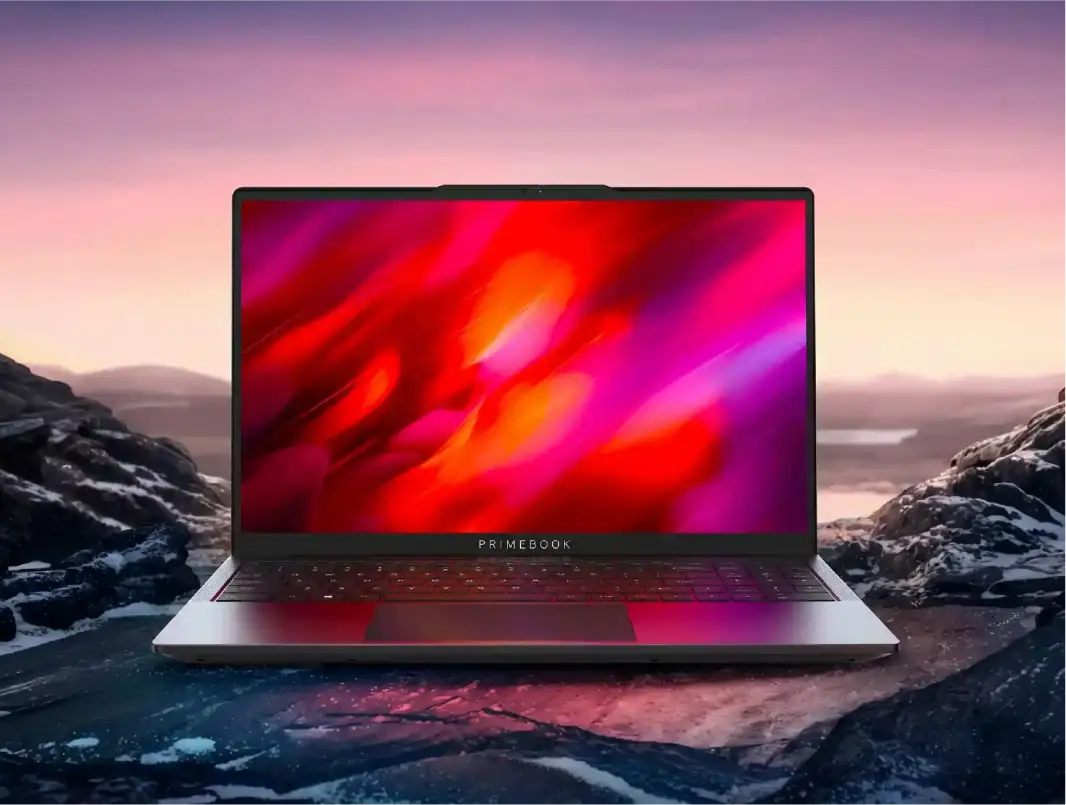
The Primebook 3 Max features an octa-core MediaTek Genio 720 processor with an integrated 8th-generation NPU, 8GB LPDDR5 RAM and 128GB UFS storage, expandable via microSD up to 1TB. Its 15.6-inch Full HD IPS anti-glare display provides a larger workspace, while the metal lid and backlit keyboard add to its design and usability. It also includes a 2K webcam, Wi-Fi 6, Bluetooth 5.2, and a battery rated for up to 12 hours. Consider it if you're looking for a larger-screen laptop with newer-generation processing, AI acceleration hardware and practical features for everyday computing.
Why Primebook? The Software Advantage
Primebook's differentiation lies in how its software and hardware work together to deliver a laptop experience. PrimeOS is built on Android and uses the Linux kernel underneath, with a laptop-oriented interface and a suite of capabilities designed to support everyday productivity, multitasking and more specialised workflows.
- A laptop-oriented computing experience: PrimeOS brings features such as multi-window multitasking, keyboard shortcuts and desktop-style navigation together to make working across applications more practical on a laptop.
- Dedicated App Store for app discovery: The Prime App Store provides access to a wide range of Android apps across productivity, education, entertainment and other categories, as well as supported Linux applications for coding, development and other specialised workflows. It also includes an app request feature, allowing users to request apps that are not currently listed.
Prime Browser for a Desktop-Class Browsing Experience: Built on Chromium and compatible with the laptop's AI Agent, Prime Browser offers desktop browsing by default, support for extensions such as Grammarly and AdAway, background playback for supported media, and screen sharing during online meetings. It brings these capabilities together for a more versatile browsing experience on Primebook.
- PrimeLinux for Native Linux App Support: PrimeLinux provides free, native access to selected Linux applications and a Linux terminal within PrimeOS. Users can download supported tools such as VS Code, GIMP, Postman, LibreOffice, Power BI and Arduino IDE through the Prime App Store, while the terminal supports Linux commands, command-line tools and Python scripts. This makes it useful for coding, development and other technical workflows without requiring a separate Linux machine.
PrimeAGNT for AI-Powered Task Execution: PrimeAGNT is an AI agent built into PrimeOS that can execute tasks across apps, browsers and system settings, helping automate multi-step workflows instead of simply generating responses to prompts. It can assist with everyday tasks through natural-language instructions, reducing the need to switch between apps and perform every step manually.
- PrimeOffice for Everyday Productivity: PrimeOffice includes PrimeDocs, PrimeSheets and PrimePresent for creating and editing documents, spreadsheets and presentations. It is free, ad-free and works offline, with support for common Microsoft Office file formats, allowing users to handle everyday productivity tasks without an additional office-suite subscription.
- PrimeX Cloud PC for Windows and Linux Computing: PrimeX Cloud PC provides access to remote Windows or Linux computing environments through a subscription, allowing users to run compatible desktop applications without relying entirely on their laptop's local hardware. It can be useful for tasks that require software or computing resources beyond the device's native capabilities, but requires a reliable internet connection and an active subscription.
Device Health Management for Monitoring and Protection: PrimeOS includes built-in Task Manager and PrimeSecurity apps that help monitor system performance and protect against potentially dangerous applications. PrimeSecurity flags potentially fake apps and warns users when an app has a non-authentic developer signature. Meanwhile, Task Manager lets users monitor CPU and RAM usage and manage startup apps. These tools work in the background to identify issues, block dangerous apps or manage resource-heavy processes, with notifications and suggested actions when attention is needed.
- Keymapping for Customised Controls: PrimeOS Keymapping lets users map keyboard keys to on-screen touch controls in supported Android games, making gameplay easier to manage with a laptop keyboard. Users can customise controls to suit their preferences, offering a more keyboard-friendly Android gaming experience.
Also Read:
Conclusion
The idea of a laptop is evolving. Computing no longer revolves around a single operating system or one way of working. Android apps, browser-based tools, AI agents, Linux development environments and cloud-hosted desktops are bringing different capabilities into the same workflow.
This makes the choice of a laptop less about following a conventional template and more about finding a computing setup that aligns with how you work. The opportunity is to look beyond familiar assumptions about what a laptop should be and choose one that gives you the right tools for your own version of productivity.
FAQ
Is it better to buy a new or refurbished laptop under ₹35,000?
A new laptop offers the reassurance of a fresh battery, manufacturer warranty and a known usage history. A refurbished laptop may offer stronger specifications for the same budget, but check its battery health, condition, warranty coverage and return policy before buying.
Is an Android laptop a good fit for college coursework?
Yes, for app-based study, browsing, documents and lecture video, since the workflow mirrors what most students already do on a phone. Dedicated desktop-only software for specific courses may still need a Cloud PC style add-on.
Can I connect a laptop under ₹35,000 to an external monitor?
Yes, provided the laptop supports external display output. Check whether its USB-C port supports video output or if there's an HDMI port, and verify the supported display resolution and refresh rate before buying, especially if you plan to use an external monitor for an extended workspace.
Editorial Transparency: This article was generated using AI and reviewed by the Primebook team before publication. AI was used to support research, structure and drafting, while the Primebook team reviewed the final article for factual accuracy, product relevance and clarity. The buying guidance is intended to help readers evaluate their requirements and make informed laptop purchase decisions.